
How to Join · Java
PC and laptop
Minecraft Java 1.21 or newer. Address only, no port.
Address
play.nuansacraft.comOpen Multiplayer
Open Minecraft, then choose Multiplayer.
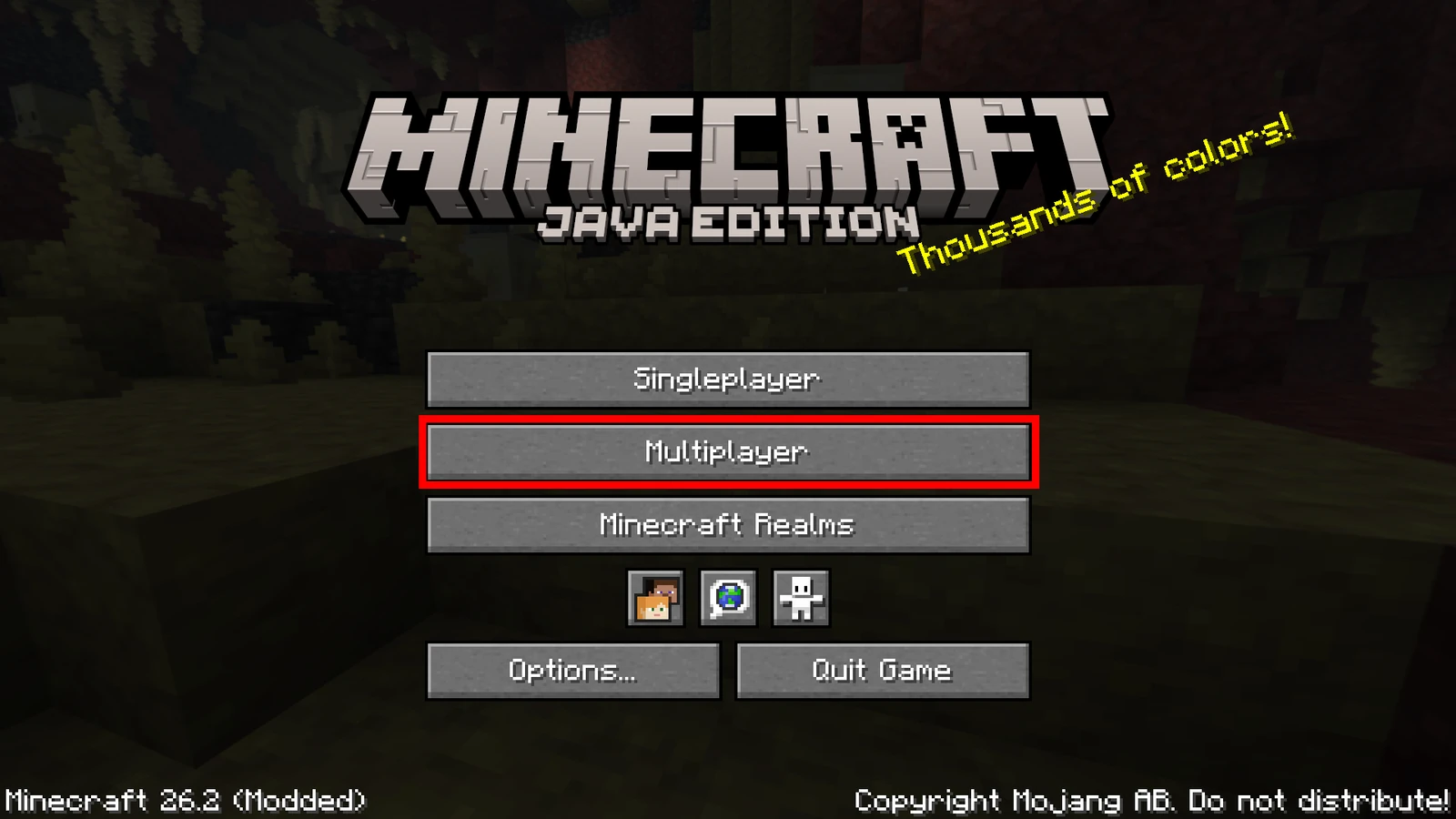
The Multiplayer button on the main menu. Press Add Server
From the server list screen, press Add Server.
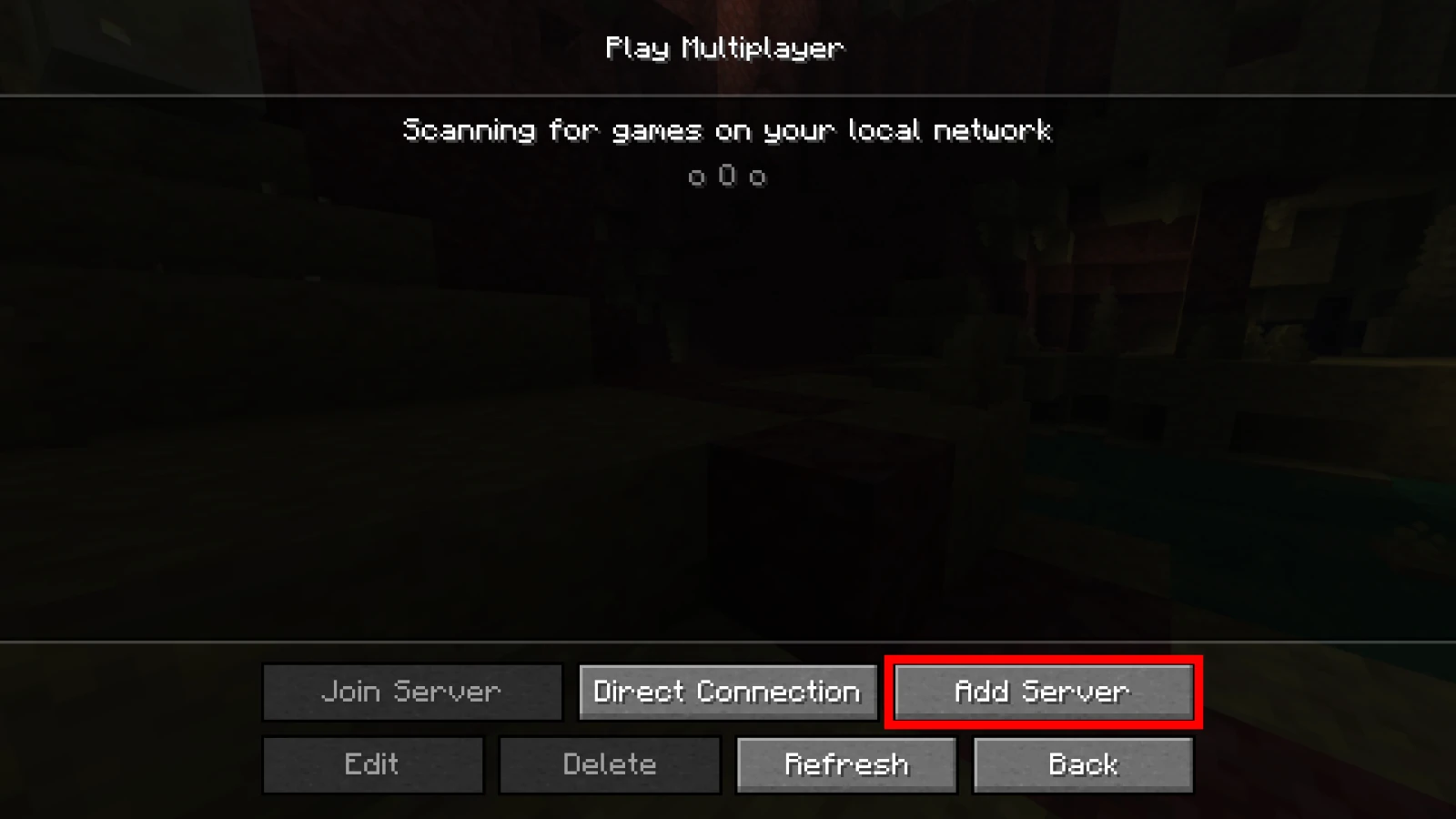
The Add Server button sits in the bottom row. Fill in Server Address, then Done
Server Name can be anything. Put
play.nuansacraft.comin Server Address, then press Done.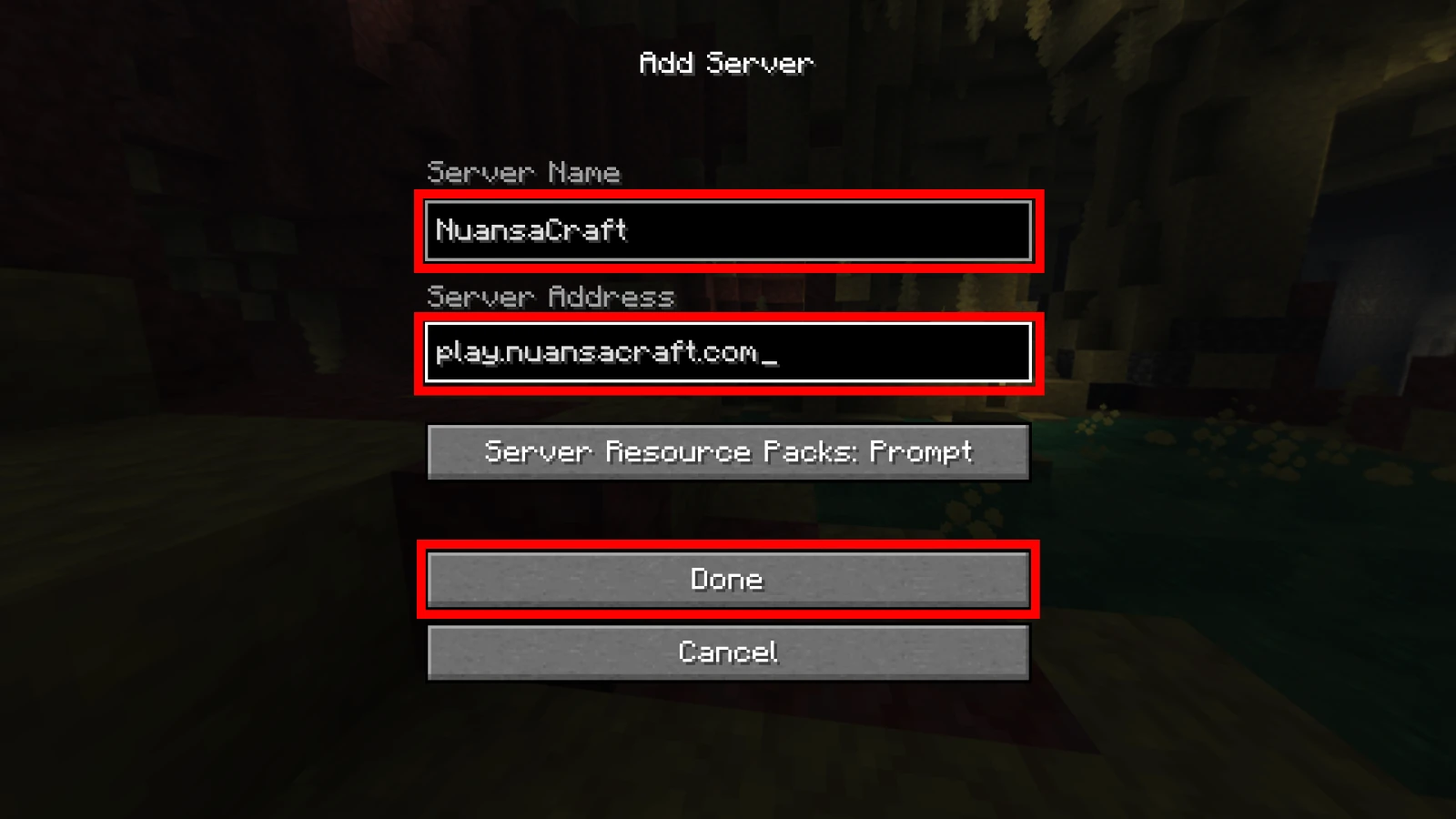
The address alone. No colon, no port number. Select the server, then Join Server
NuansaCraft appears in the list along with the player count. Click the server, then Join Server. If your client is older than 1.21, switch versions in the launcher.
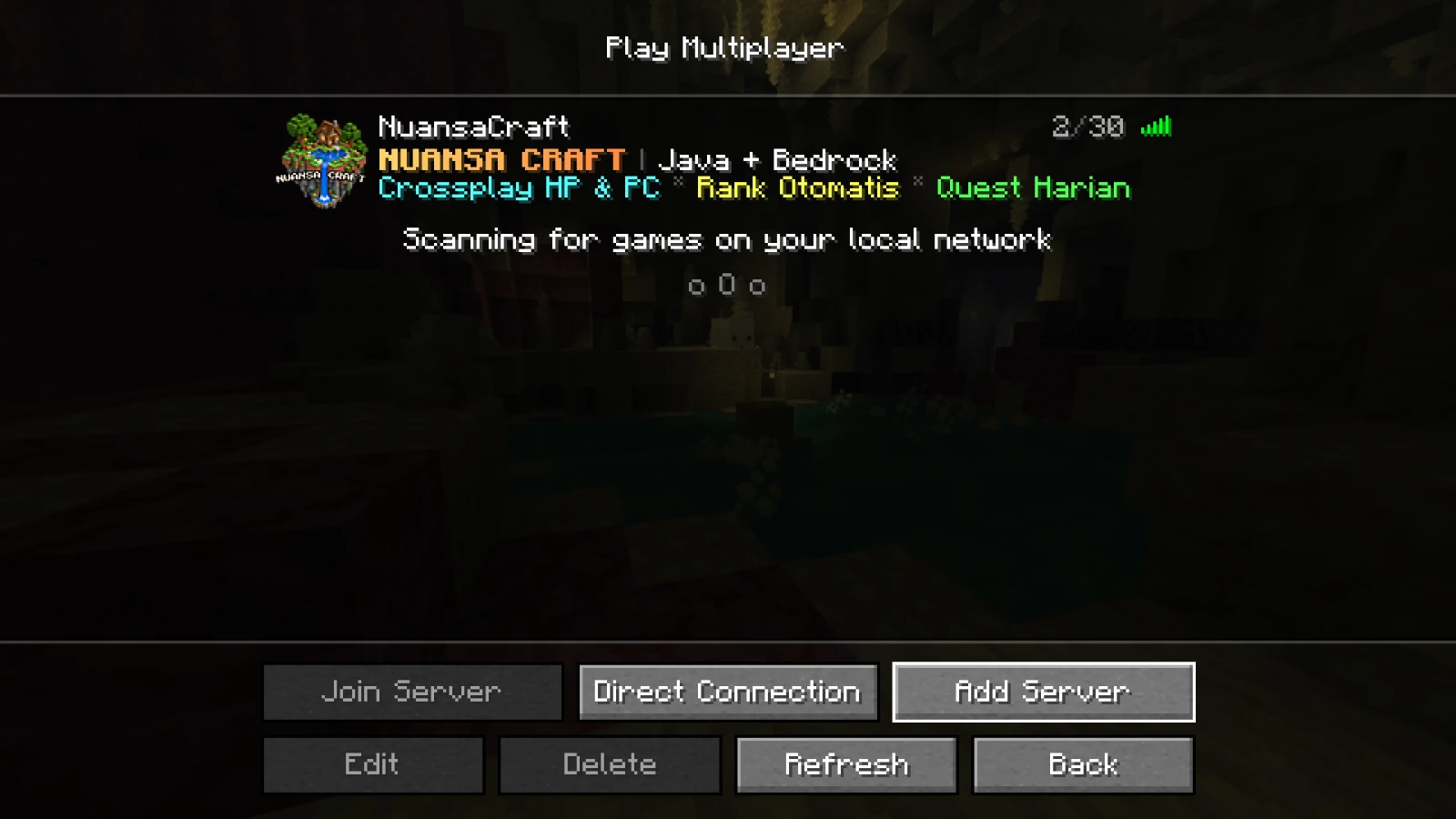
If the player count shows up, the server was found. Set your password
Once you are in, type this in the game chat:
/setpassword <password> <password>This password is what you use to log in to NuansaCraft and the store. Do not use your Microsoft or Mojang password.
Kicked out by the system?That means you have not run
/setpasswordin game yet. Forgot it? Ask staff for a reset on Discord.