
How to Join · Bedrock
Phone, console, Windows
Minecraft Bedrock 1.21 or newer. The port goes in its own field.
play.nuansacraft.com19132Press Play
Open Minecraft, then press Play on the main menu.
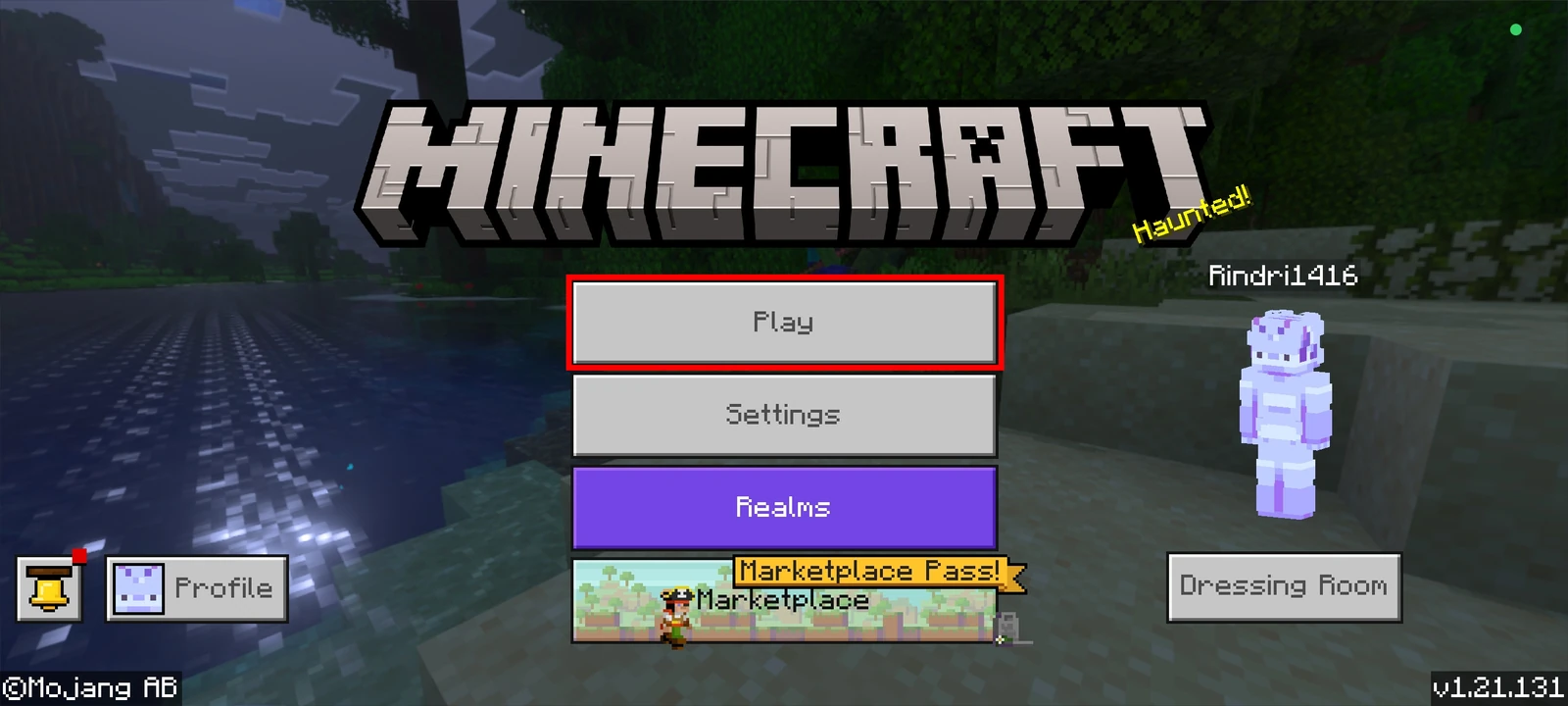
The Play button on the main menu. Open the Servers tab, press Add server
Switch to the Servers tab, then press Add server above the Featured list.
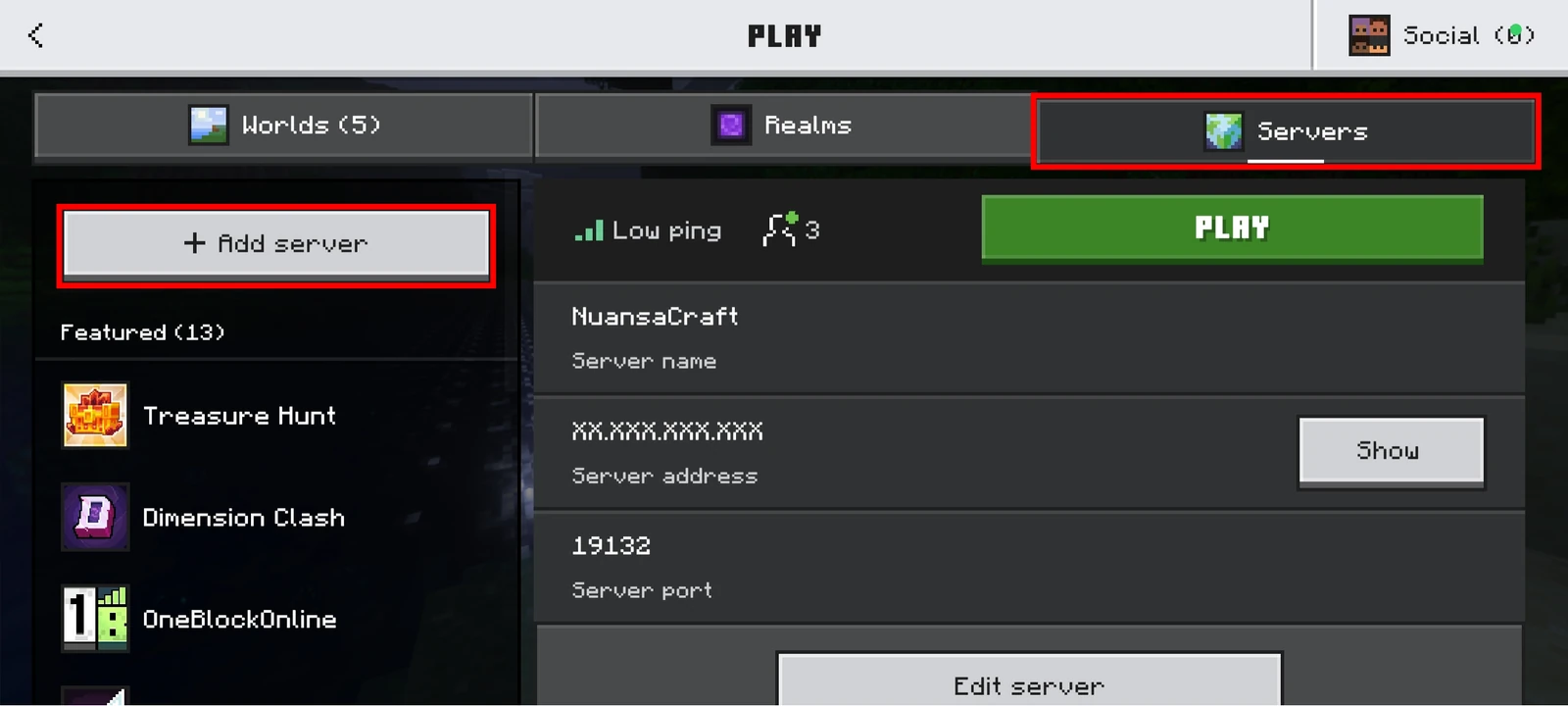
The Servers tab is at the top right. Add server sits above the Featured list. Fill in all three fields, then Add and play
Server name can be anything. Put
play.nuansacraft.comin Server address and19132in Port. Finally press Add and play.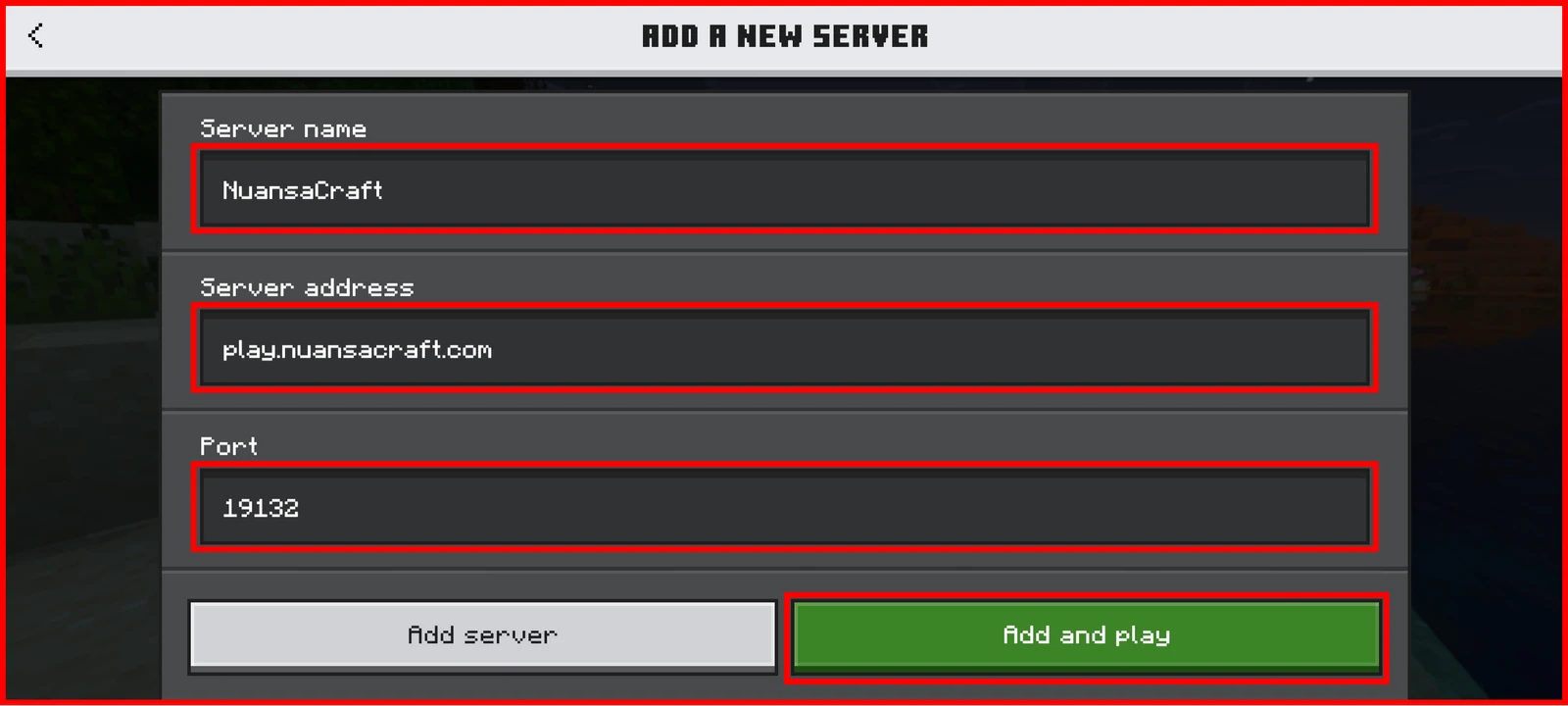
Address and port are separate fields. Both are required. Keep them apartIf you paste
play.nuansacraft.com:19132into the Server address field, the server will not be found.Set your password
Once you are in, type this in the game chat:
/setpassword <password> <password>This password is what you use to log in to NuansaCraft and the store. Do not use your Microsoft or Mojang password.
Kicked out by the system?That means you have not run
/setpasswordin game yet. Forgot it? Ask staff for a reset on Discord.